Why Your CRM Feels Like More Work Than Help (And What It Says About Your Revenue System)
There’s a conversation we often hear in early engagements with manufacturing sales teams.
- “We have a CRM. People just don’t use it.”
- “We use it, but I don’t trust what’s in it.”
- “I have to pull everything into a spreadsheet before our pipeline review anyway.”
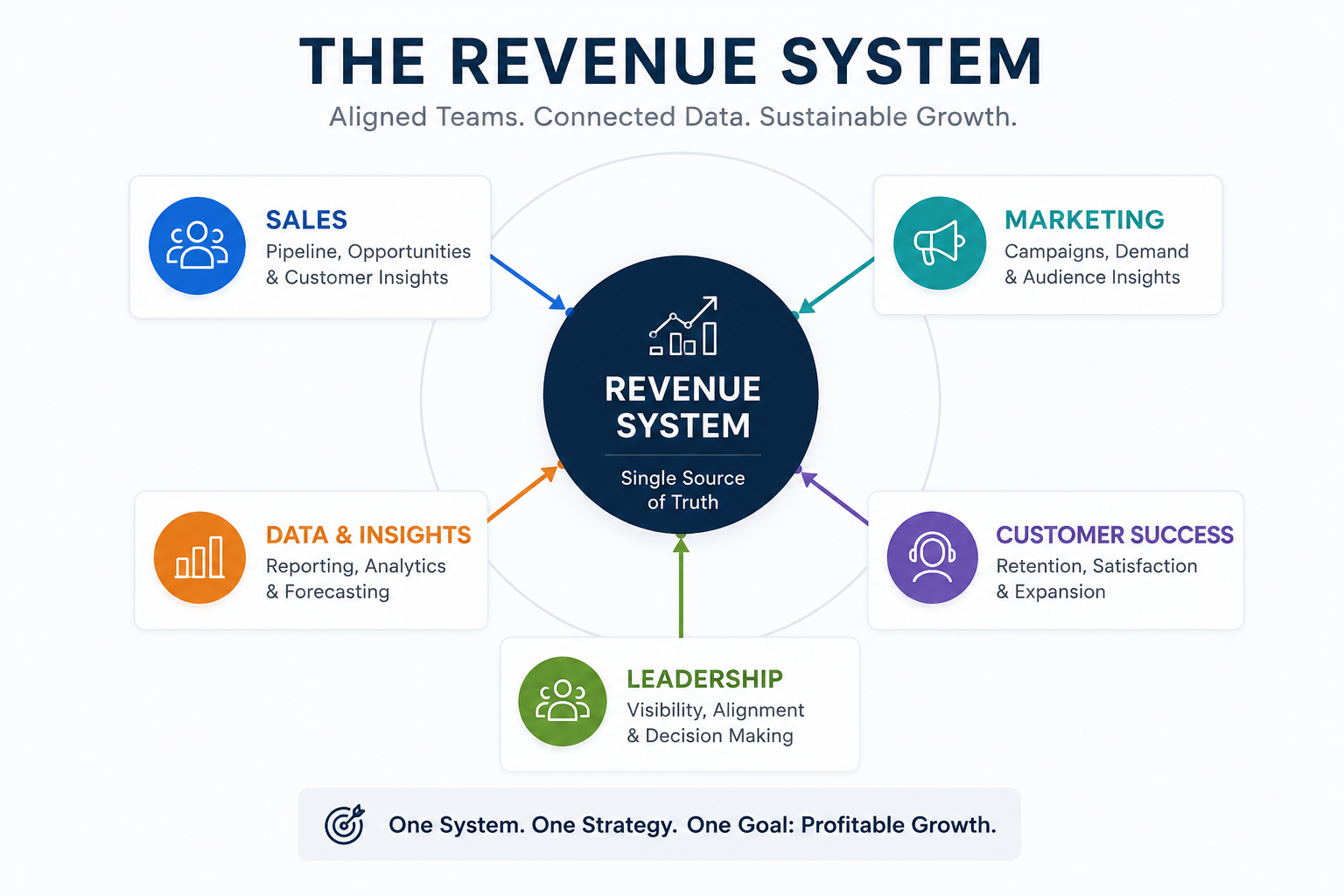
If any of those sound familiar, the problem is almost never the CRM. It’s not the software. It’s not your team. Most CRM problems aren’t technology problems. They’re system problems.
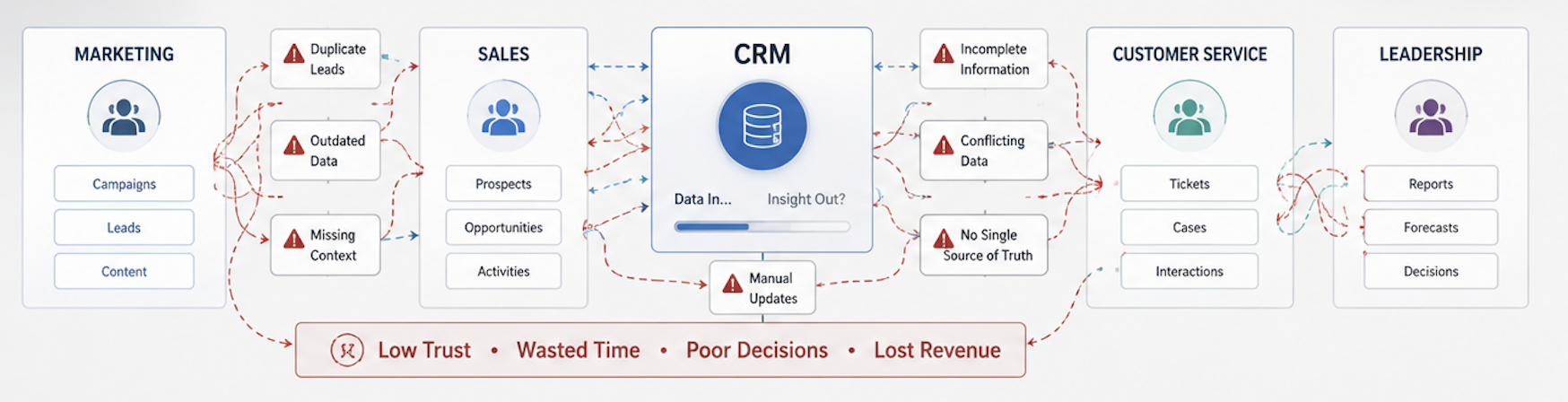
When visibility depends on spreadsheets, reporting requires cleanup, and teams work outside the CRM, the issue is rarely the platform. It’s usually a sign that the workflows, ownership, and reporting structures surrounding the CRM were never designed to support how the business actually operates.
The technology isn’t failing you. The system design is.
That distinction matters. It shifts the conversation from “How do we get people to use the CRM?” to the more useful question: “Why does our CRM create so much extra work?”
The answer almost always comes down to workflow design. And workflow problems can be diagnosed, simplified, and fixed.
When a CRM creates more work than visibility, the issue is usually not the tool; it’s the system surrounding it.
Why Excessive Manual CRM Work Signals a Workflow Design Problem
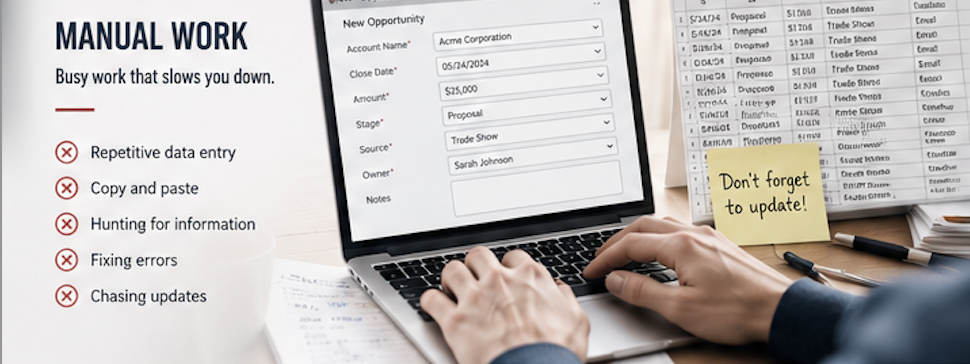
Excessive manual work is one of the clearest signs that your CRM workflow needs attention. It often starts small.
A sales rep tracks opportunities in a spreadsheet because it’s faster than updating multiple fields in the CRM. Marketing builds separate reports because leadership needs visibility the CRM doesn’t provide. Customer service keeps its own notes because key account details are incomplete or difficult to find.
That manual work usually points to one of three issues:
- Unclear ownership — No one is certain who’s responsible for maintaining key information.
- Disconnected workflows — Critical information gets trapped between systems, teams, or spreadsheets.
- Processes built for reporting instead of execution — CRM asks people to enter information that helps reports but doesn’t help them do their jobs.
The system was often designed around the tool instead of the work. And when that happens, workarounds stop being exceptions. They become the process.
Why CRM Data Doesn’t Automatically Create Visibility
There’s a big difference between a CRM that captures data and one that gives leadership usable pipeline visibility. Most organizations build the former while expecting to get the latter.
Data collection is about recording activity, requiring fields, enforcing stage gates, tracking record completion.
Visibility is about understanding what that activity means and helping leaders see what’s moving, what’s stalled, where ownership sits, and what needs attention.
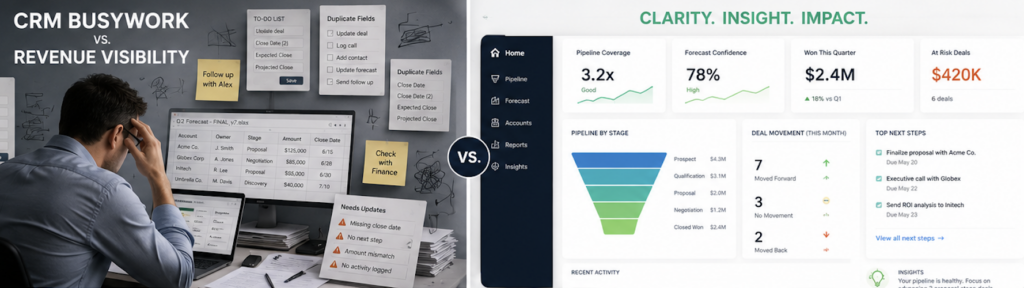
Data collection tells you what was entered. Visibility tells you what matters.
If data isn’t structured to answer the questions your leadership team is actually asking, record completeness doesn’t matter much.
CRM systems often evolve field by field, with each addition solving an immediate need. A manager wanted to track something, a process changed, or a new report was required. Over time, those layers create a system that collects data but provides little clarity, because it was never designed around the decisions leaders need to make.
The result is familiar: teams enter data into the CRM while relying on spreadsheets for visibility. When a spreadsheet becomes the reporting layer, it’s often the clearest sign that the CRM isn’t delivering the insight it should.
How Complexity Erodes Trust
CRM complexity rarely appears all at once. It accumulates through additional fields, workflows, reports, and approval steps that solve individual problems but make the overall system harder to use.
Over time, teams become less certain about which data matters, reporting requires manual cleanup, and leaders spend more time validating information than acting on it. When that happens, the CRM stops functioning as a source of visibility and becomes another layer of administrative work.
For manufacturing organizations with long sales cycles and multiple handoffs, that loss of trust compounds quickly across sales, marketing, customer service, and leadership.
The Cost of CRM Complexity at a Glance
| For Sales | More administrative work Less time selling Lower confidence in the system |
| For Marketing | Inconsistent reporting Unclear attribution Difficulty measuring impact |
| For Customer Service | Incomplete customer history Information gaps More manual follow-up |
| For Leadership | Delayed visibility Forecast uncertainty Slower decision-making |
Signs Your CRM Is Creating More Work Than Help
A few patterns show up consistently when the system has drifted from the work it’s meant to support:
- Teams regularly update spreadsheets outside the CRM.
- Leadership questions the accuracy of pipeline reports.
- Sales, marketing, and customer service maintain separate information sources.
- Forecasting requires manual reconciliation before every review.
- Revenue meetings focus on validating numbers instead of making decisions.
- The CRM is technically being used, but no one fully trusts it.
If several of these sound familiar, the issue is unlikely to be training, adoption, or the platform. It’s usually the system behind the CRM.
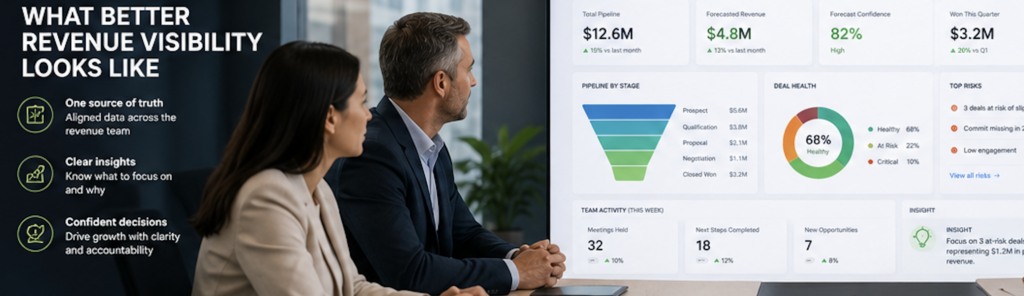
What Better Revenue Visibility Actually Looks Like
A better CRM experience doesn’t start with more fields or more dashboards. It starts with understanding how work actually moves and designing the CRM around that.
At Acadia, we stay grounded in a Systems-First & Engineering-Led methodology. We start by diagnosing the system before recommending solutions. We assess workflows, ownership, and visibility gaps before recommending changes. When a revenue system is designed intentionally, it allows teams to:
- Capture the right information within the flow of work.
- Reduce manual CRM work by 60% to 70% within the first 60 days.
- See real-time pipeline status clearly without spreadsheet cleanup.
- Adopt trusted leadership dashboards in weeks, not months.
When that happens, the CRM becomes a usable operating system for revenue instead of a burden. The result is not just less admin. It’s better visibility, faster decisions, and calmer reporting.
Why This Matters for Leadership
Poor CRM workflow design doesn’t just frustrate the team. It creates leadership stress. When reporting is messy, forecasting gets harder, meetings become cleanup sessions, and leaders spend more time questioning the data than using it.
When the system is designed well, leaders focus on what the numbers mean rather than whether they’re accurate; where deals are stuck, which accounts need attention, and where the team should focus next. For manufacturing leaders managing complex sales cycles, that difference matters.
Find Out Where the Gaps Really Are
Reading about CRM friction is one thing. Identifying where it’s showing up in your own revenue process is another.
Our Revenue System Gap Finder is a five-minute assessment designed for sales and marketing leaders. It helps you identify warning signs across people, process, and technology, quantify the hidden cost of manual work, and pinpoint where visibility is breaking down. Whether you’re dealing with spreadsheet-driven reporting, inconsistent forecasts, or disconnected systems, the assessment provides a practical starting point for improvement.